 English
home  resource tuner tutorials how to...
Resource Editor: How To Edit A Menu
A menu resource is a collection of items that define the appearance and function of an application menu. A menu is a specialized input control that lets the user select commands and submenus from a list of menu items.
Editing Menu
1. Expand the 'Menu' folder and select the target menu resource from the Resource Tree View. You'll see a preview of the menu structure, including submenus, menu items, and popup items. To view the decompiled script responsible for the menu's functionality, switch to the Script View tab.
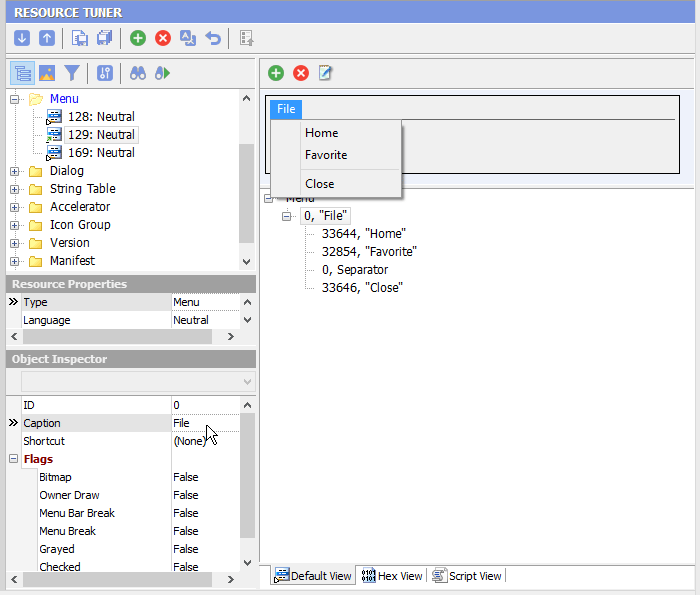
2. Use the Object Inspector to modify item IDs, shortcuts, captions, and flags.
Menu IDs (as "129" in the picture above) cannot be edited. These values are hard coded into the EXE file. Changing them is likely to cause the modified program to crash.
3. Once you're done editing, select 'File'  'Save File' or the [Ctrl+S] combination to save the modifications to the target file.
Any change you make can be restored prior to quitting Resource Tuner.
Start Tuning Your Applications Now!

Resource Tuner runs on all versions of Windows, including 11, 10, 8, 7, and XP, and supports both 32-bit and 64-bit systems.