 English
How To Edit A Delphi Form (DFM in RCData Folder)
Programs compiled using Delphi/C++ Builder do not commonly have menu, dialog, or accelerator resources, but store this information in a resource type named RC Data that holds the information that were in the DFM (Delphi Form Module) file before the compilation.
When examining a program written in Delphi/C++ Builder, Resource Tuner visualizes in text mode all the loaded DFMs of the target executable and reconstitutes them in editable form.
Edit Delphi Form
Resource Tuner lets you visually modify a selected Delphi form and its controls as well as component properties and events. You can resize, redesign, and reposition controls or simply change their properties to suit your wishes.
1. Expand the RC Data folder that’s found in the Resource Tree view, and select the resource item to be edited.
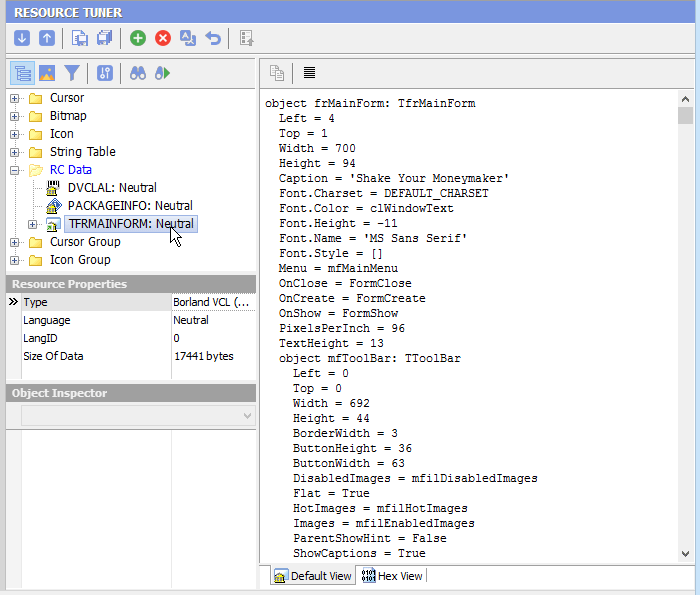
2. Navigate through the objects displayed in a hierarchical tree to find an object to be edited. All assigned properties and events will be displayed.
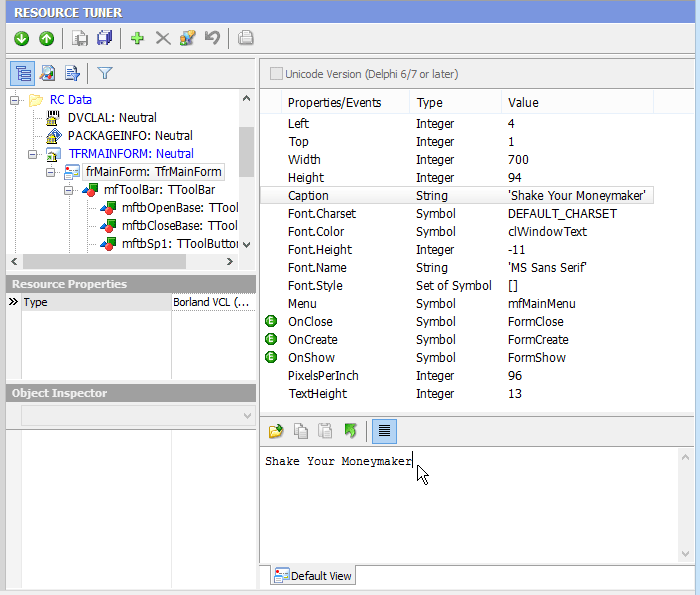
3. Select an object property or value entry by clicking it in the displayed ListView.
4. Make any desired changes. Improperly altered property can cause a modified program to crash at run time. So be careful. Entering values outside the range of valid values for a property may render the target program inoperable. Don't experiment on the only copy of a file.
To replace a bitmap in the ImageList, highlight an item in the list and click on the Open Source File  button (Shift+Ctlr+R) from the button bar and select your file on disk.
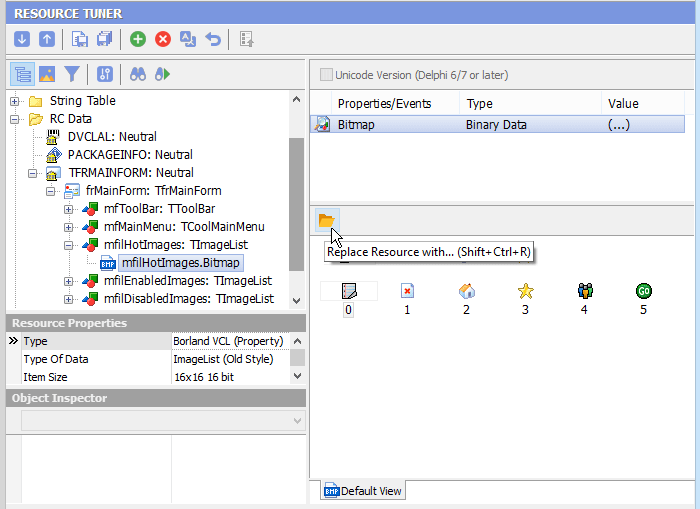
5. Select 'File'  'Save File' to save the changes you have made to the target file.
Any change you make can be restored prior to quitting Resource Tuner.
Do not modify component properties that you are not familiar with! Entering values outside the range of valid values for a property may render the target program inoperable. Because of the infinite variability of controls and their properties, Resource Tuner cannot alert you when out of range values are entered.
 Give Resource Tuner a trial run for 30 days free! Once you try it, we think you will find it hard to go back to other resource hacking utilities. So if you decide to purchase it, it's only $49.95 for the Personal License. The Business license is available for $89.95.